If you have decided to use Tithe.ly as your online giving platform, you will need to begin by creating an account with Tithe.ly.
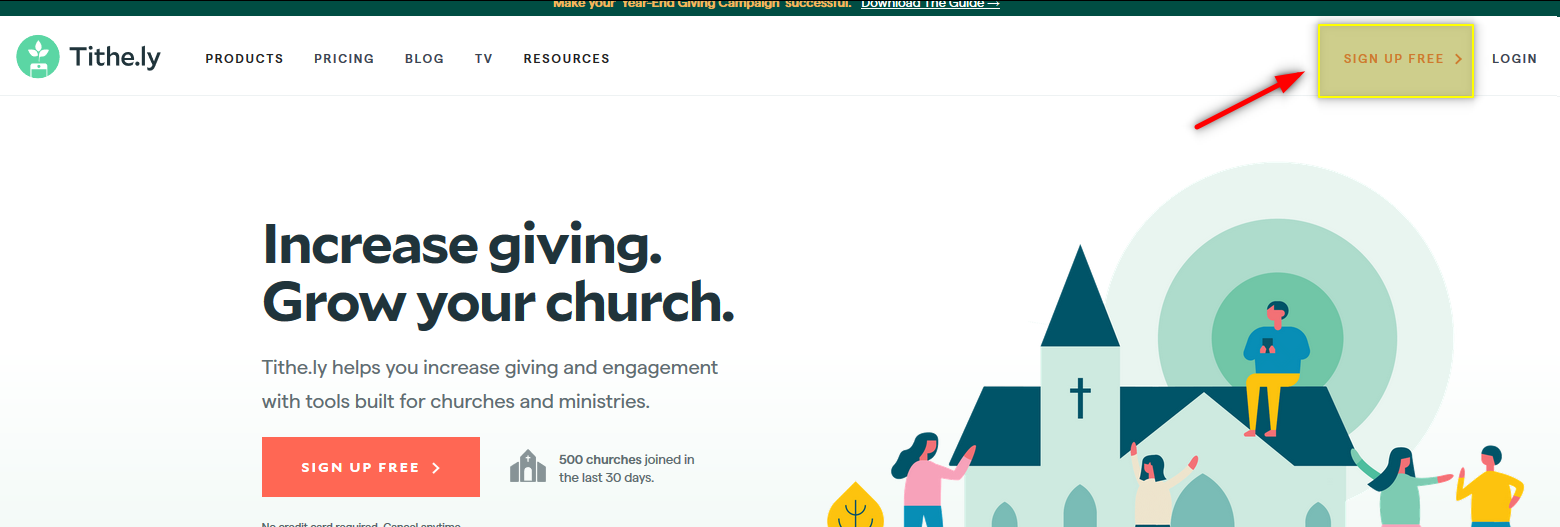
Once you have created your account and logged in, there are two options for connecting your Tithe.ly account to your website.
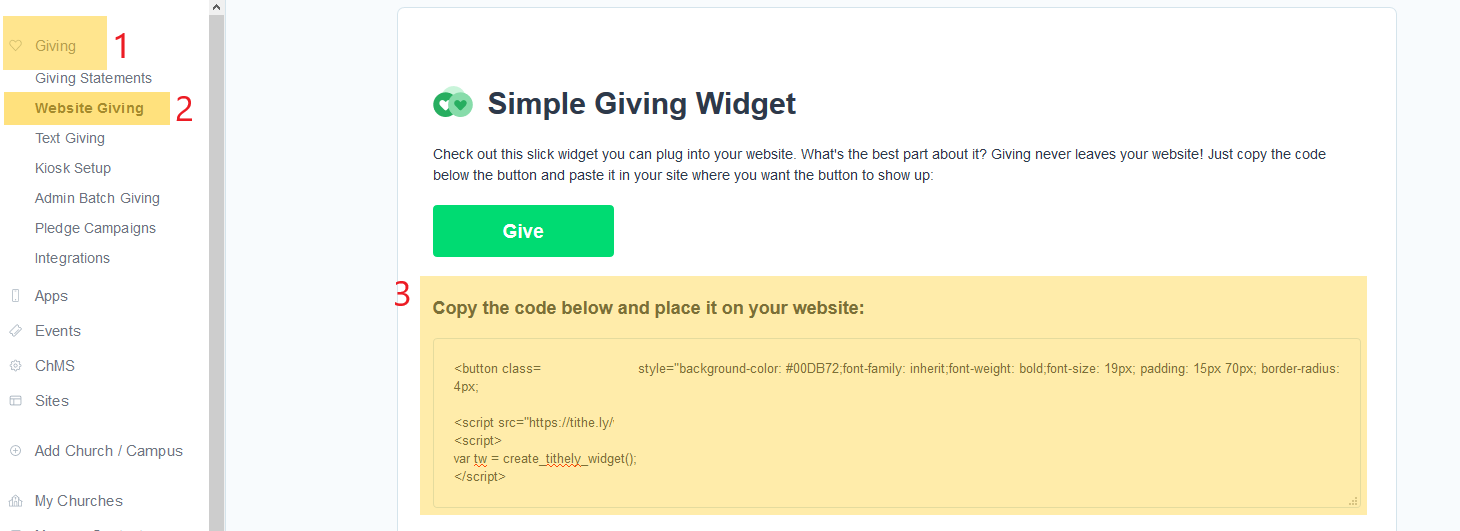
The first option creates a "Give" button on your website. When a donor clicks the "Give" button, the giving form opens right on your website. The benefit of this option is that the donor never leaves your website. For this option, follow the four steps below:
1. When logged in to your Tithe.ly account, select the "Giving" tab on the left
2. Then, select the "Website Giving" on the left
3. This will bring up the code you need to copy from Tithe.ly.
4. Once you have copied the necessary code from Tithe.ly you can paste the code on your website. This can be done on a page using the Block Editor and creating a "Custom HTML" block or by using the "Custom HTML Widget"
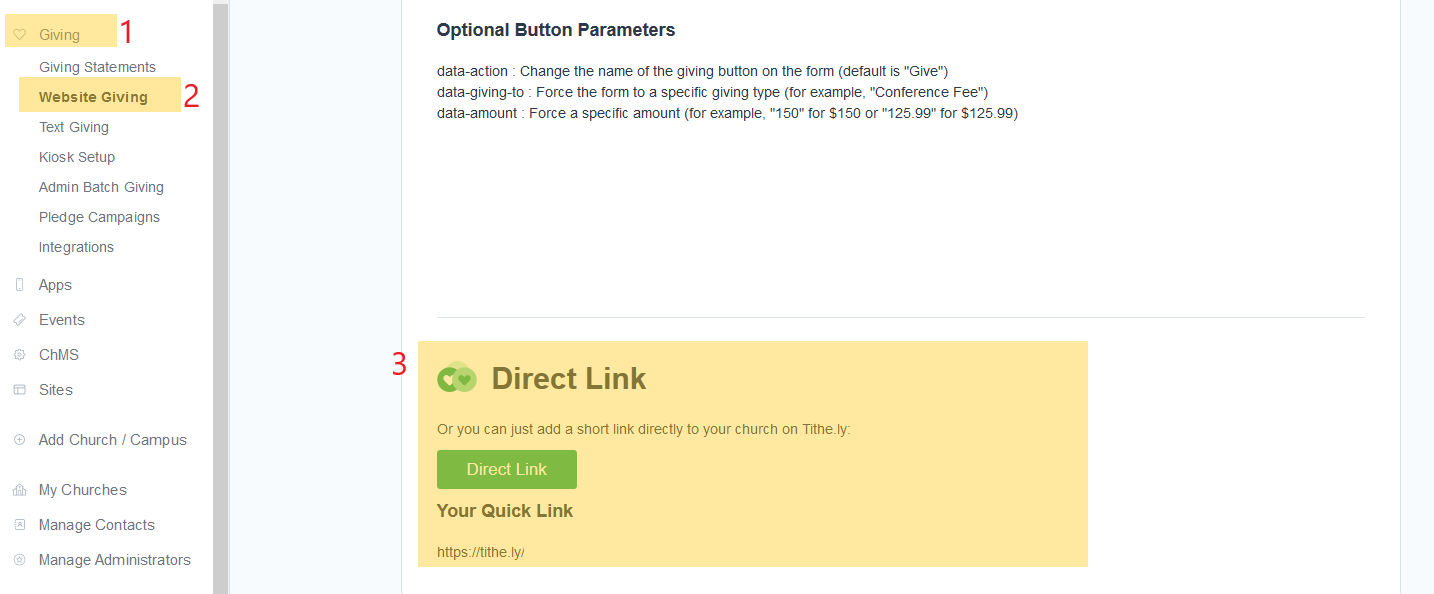
The second option uses a direct link to Tithe.ly. When a donor clicks the link on your website, they are taken to the giving form at Tithe.ly. For this option, follow the steps below:
1. When logged in to your Tithe.ly account, select the "Giving" tab on the left
2. Then, select the "Website Giving" on the left
3. This will bring up the link you need to copy from Tithe.ly
4. Once you have copied the necessary link, you can add place it on your website.
The instructions above are provided in order to help users connect their Tithe.ly account to their website. If you would like Five More Talents to make this connection for you, see below for pricing:
Basic connection: $50 You provide the code or link from your Tithe.ly account, Five More Talents places it on your website in the desired location.
Giving Page connection: $100 (This option places the Tithe.ly button or link on a Giving Page that can include information about your church, views on giving, what the giving supports, etc.). You provide the code or link from your Tithe.ly account, as well as the content that you would like to have on the page. Five More Talents will build the page and place it on the website where desired.
Was this article helpful?
That’s Great!
Thank you for your feedback
Sorry! We couldn't be helpful
Thank you for your feedback
Feedback sent
We appreciate your effort and will try to fix the article