If you do not see your website updates appear immediately when you view the website on the frontend, the first step in troubleshooting is to clear the website caches:
- SG Cache
- CF Cache
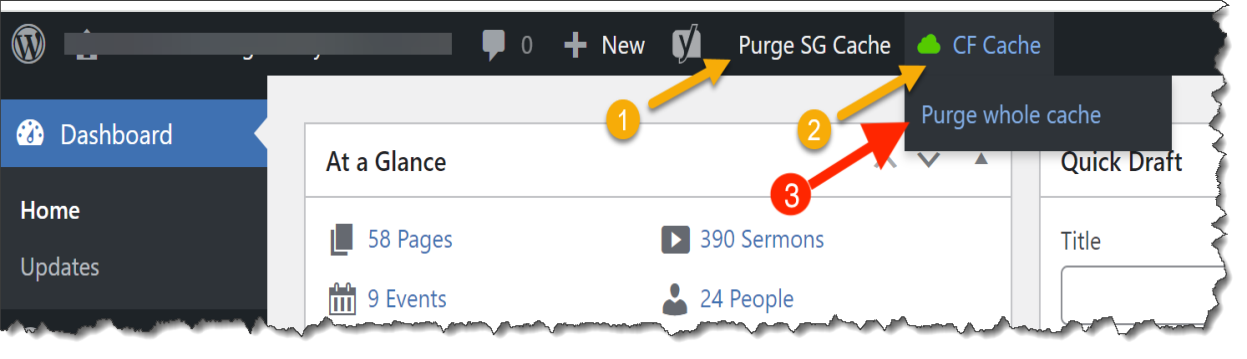
First, click "Purge SG Cache."
Second, hover over CF Cache, then click "Purge whole cache."
If this does not solve the problem, please open a ticket, if you haven't already.
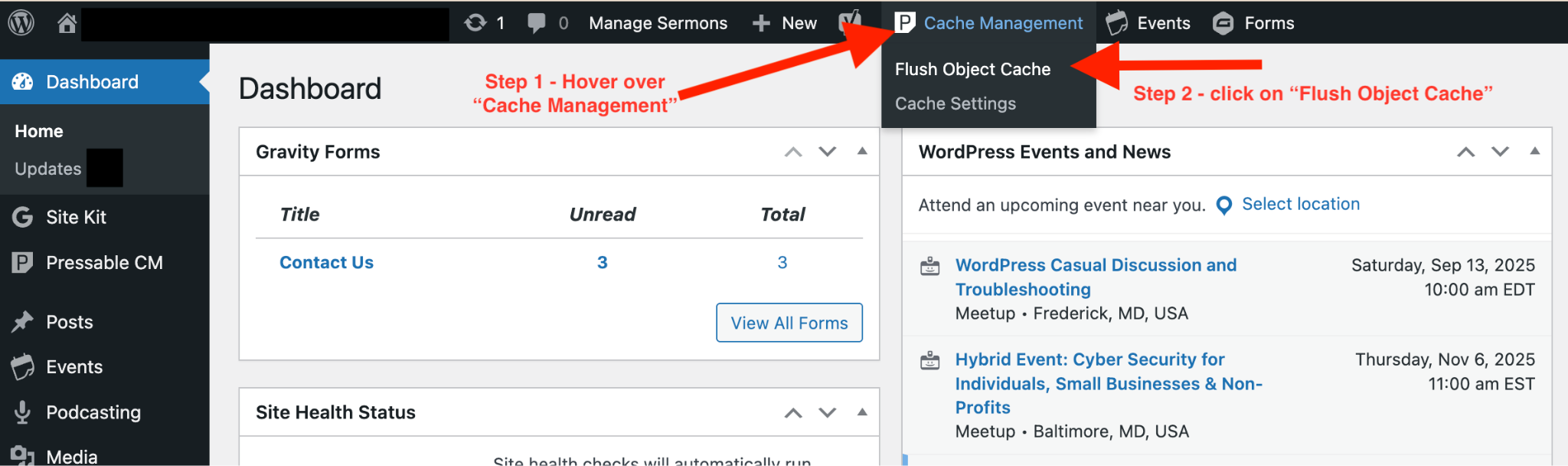
For Pressable Sites:
Was this article helpful?
That’s Great!
Thank you for your feedback
Sorry! We couldn't be helpful
Thank you for your feedback
Feedback sent
We appreciate your effort and will try to fix the article